SpatialChat is a global collaboration platform used by 6M+ people across 200+ countries.
2021 – 2023
Product Designer
I worked as a Product Designer in a five-person design team, collaborating with PM, engineers and QA.
Teams needed focused conversations without leaving the shared SpatialChat room.
The main challenge was making audio transitions, access rules, and ownership clear enough that users always understood when a conversation was private.
I led the interaction design for Private Areas — from user research and flow definition to prototyping, testing, component design, and implementation support.
I designed lightweight private zones with visible boundaries, predictable audio states, clear access rules, and role-based management.
Private Areas gave teams a way to have focused conversations without breaking the shared spatial experience.
SpatialChat was built around open movement and spontaneous conversations.
But when a space became crowded, teams needed smaller areas for private discussions, workshops, or focused group work. The obvious solution was to move people into another room.
But that would break one of SpatialChat’s main strengths: everyone still feeling part of the same shared space. So the real question became:
How can we add privacy without breaking the spatial experience?
There were two important user roles.
They needed to create, configure, and manage Private Areas without interrupting the session.
They needed to understand where the area started, whether they could enter, and what would happen to their audio. This showed that the feature was not only about drawing a boundary.
It was also about access, ownership, and system feedback.
.png)
I mapped the experience from creating a Private Area to entering, using, and managing it.
The journey showed three moments where users needed the most clarity: creation → audio transition → shared management. That became the structure for the final solution.

Instead of creating a separate room, I designed Private Areas as lightweight zones inside the existing space.
Users could create, enter, and manage a focused conversation without leaving the main environment.
The key was to make the zone feel present, but not visually heavy.
Visual boundaries, labels, and transition feedback helped users understand when they moved between shared and private conversations.
The area remained recognisable without dominating the shared space.
Users received immediate feedback when their audio context changed.
Open, restricted, and locked areas had clearly differentiated states.
A collaborative area could not depend entirely on its original creator. I designed role-based controls that allowed authorised team members to edit access settings or remove an area.
Creators and authorised administrators could manage the area.
Available actions changed according to the user’s role.
Deletion required confirmation and explained its impact.
Private Areas added focus without changing the fundamental behaviour of the shared spatial environment.
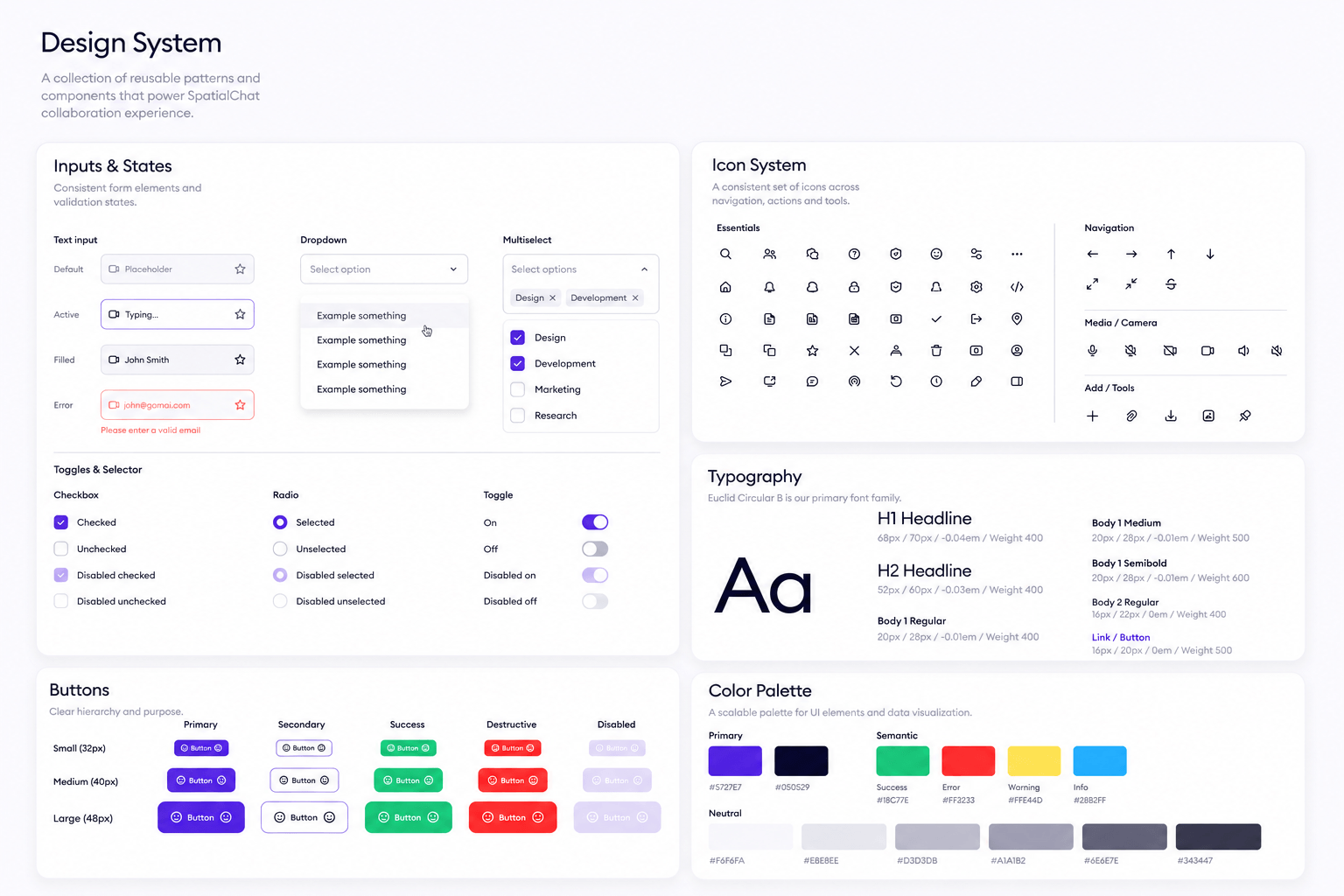
Private Areas introduced new interaction states across the product: spatial boundaries; area labels; access states; permission controls; warnings; confirmation dialogs.
I added these patterns to the design system so the feature stayed consistent with the rest of SpatialChat and could support future collaboration features.
I reviewed prototypes and ran playtests inside the spatial environment. The most useful problems appeared in real movement, not static screens.
Some users entered a Private Area without immediately noticing that their audio context had changed.
I strengthened the boundary and added clearer entry feedback.
Restricted areas looked too similar to open ones.
I introduced clearer labels, lock states, and access feedback.
Users expected administrators to manage areas created by other members.
I added role-based editing and deletion permissions.
The hardest part of Private Areas was not drawing the zone itself. It was making invisible behaviour — audio context, privacy, access, and ownership — feel visible and predictable. This project taught me that in real-time collaboration products, good feedback is just as important as the interface itself.
Good spatial interaction design makes invisible system behaviour feel visible and trustworthy.
Private Areas were only one part of my work in SpatialChat. I also redesigned the invitation flow so hosts could bring people into a room more easily.
Users could choose between:
shareable links
email invitations
invitation status tracking
resend and management actions
Scheduling often happened outside SpatialChat. I designed a flow that connected room selection with Google Calendar, so hosts could create a meeting without switching between disconnected tools. The selected room and session details stayed visible throughout the process.
I also contributed to a unified add-content experience for files, notes, media, and external collaboration tools.
The goal was to keep different content types accessible through one predictable interaction.
.png)
.png)